How to build a net worth spreadsheet that gives you full control
A practical guide to building a net worth tracker in Google Spreadsheets or Microsoft Excel where your data updates live, and your spreadsheet doesn't break.

Dan Faber
May 1, 2026·10 min read·Spreadsheets

Net worth apps give the same app dashboard to everyone, regardless of their financial situation. Too rigid. A spreadsheet gives you control. But the data gets stale.
Once your money is spread across checking accounts, brokerages, retirement plans, property, debts, and manual assets, your tracker is only as useful as the last time you updated it.
A live net worth spreadsheet solves that problem by separating the data layer from the model. Tablewealth easily connects balances, holdings, and liabilities from your banks, credit cards, brokerages, and more so your spreadsheet can update automatically, while your formulas, categories, assumptions, and views stay yours. Sign up for Tablewealth here to get started with your free spreadsheet template.
Start with your model preferences
Net worth sounds simple: assets minus liabilities. In real life, the hard part is deciding what belongs in those two groups and how each item should be valued. Do you include home equity at market value or a conservative estimate? Do you track private investments at cost, latest mark, or zero until realized? Do you show joint accounts separately from personal accounts?
Those are modeling choices. A finance app usually hides them inside its default dashboard. A spreadsheet lets you make them explicit.
Build the spreadsheet in layers
The most common mistake is building formulas directly into the same tabs as whatever data export or sync output you receive. That works until a column changes, an account disconnects, or you decide to group assets differently. A better structure keeps raw data, manual inputs, and your personal model in separate tabs.
- Accounts: live account balances from connected sources, with institution, account name, type, subtype, current balance, currency, and last updated timestamp.
- Holdings: live investment positions when available, including symbol, security name, quantity, price, market value, and account reference.
- Manual Assets: assets that do not come from a live connection, such as real estate, vehicles, private investments, collectibles, or business equity.
- Manual Liabilities: debts that are not connected or that you prefer to update by hand.
- Categories: your own grouping layer for liquidity, tax treatment, household owner, goal, or asset class.
- Net Worth Summary: formulas that calculate the views you actually care about.
- Monthly Snapshots: one row per month so you can track progress over time instead of staring at a moving daily number.
- Assumptions: valuation notes, manual update cadence, excluded assets, and any judgment calls you want future-you to remember.
That structure makes the spreadsheet durable. The live tabs can refresh. The manual tabs can hold assets or debts that do not come through a bank, credit card, or brokerage connection. The summary tabs can evolve as your questions get more specific.
"The sync should update your data, not rewrite the way you think about your money."
For example, your summary should not care whether your brokerage account is displayed as "Joint Brokerage", "Taxable - Schwab", or "Schwab One". It should care that the account maps to Taxable Investments, belongs to Household, and counts toward Investable Net Worth.
Use monthly snapshots even when the data is live
Live balances are useful, but net worth is usually more meaningful as a trend than as a constantly moving ticker. Investment balances move every market day. Credit card balances move inside the billing cycle. A daily net worth number can make normal noise feel like progress or failure.
Keep a Monthly Snapshots tab with one row per month: snapshot date, total assets, total liabilities, net worth, monthly change, liquid net worth, investable net worth, and a short note about what changed. The note matters. It turns a number into a record.
Where Tablewealth fits
Tablewealth is useful when you want the spreadsheet to stay securely connected to your live financial data, and if you want ready-made spreadsheet templates to get started quickly. Connected accounts, balances, holdings, and other financial records can feed the spreadsheet so you are not logging into every institution and pasting numbers by hand.
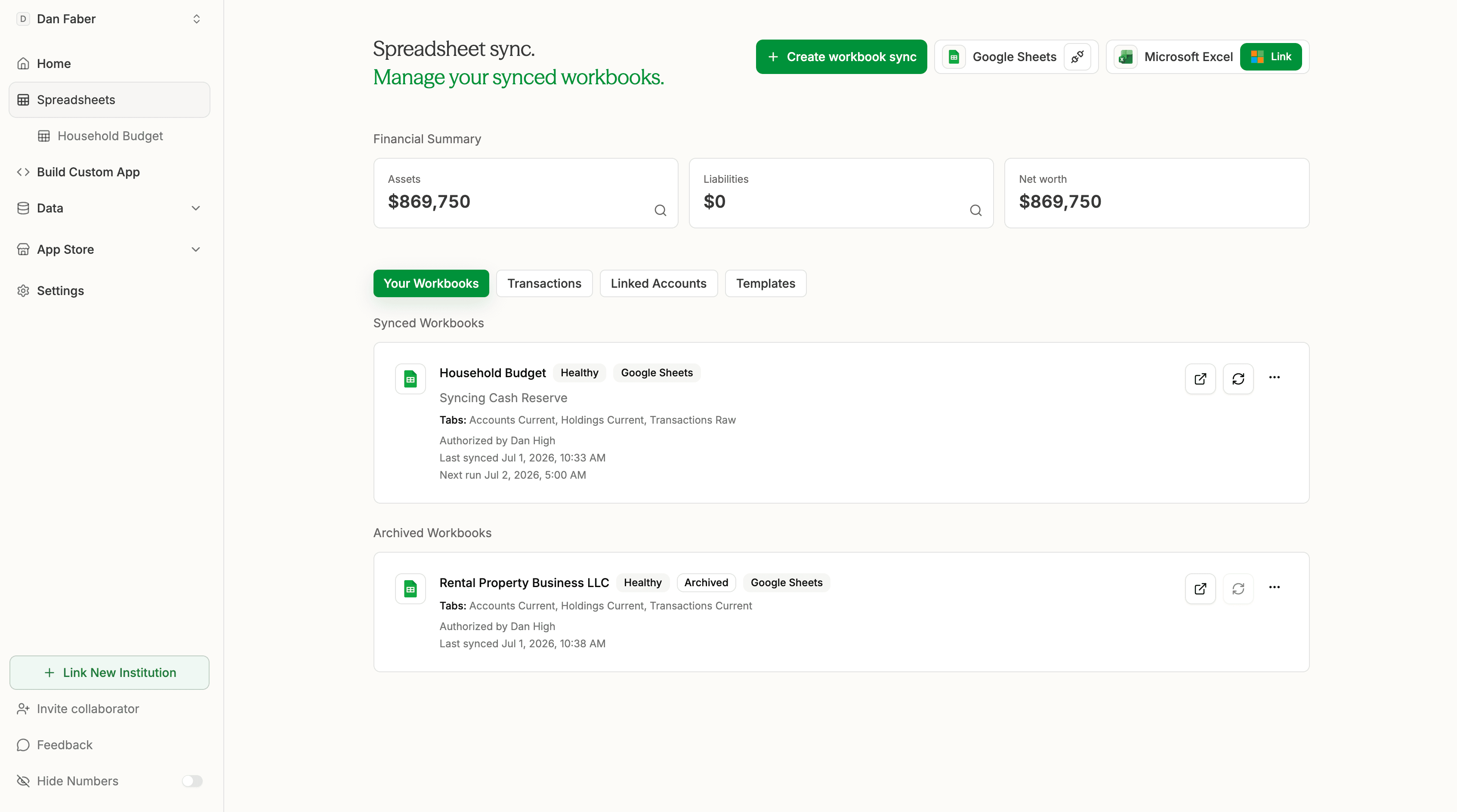
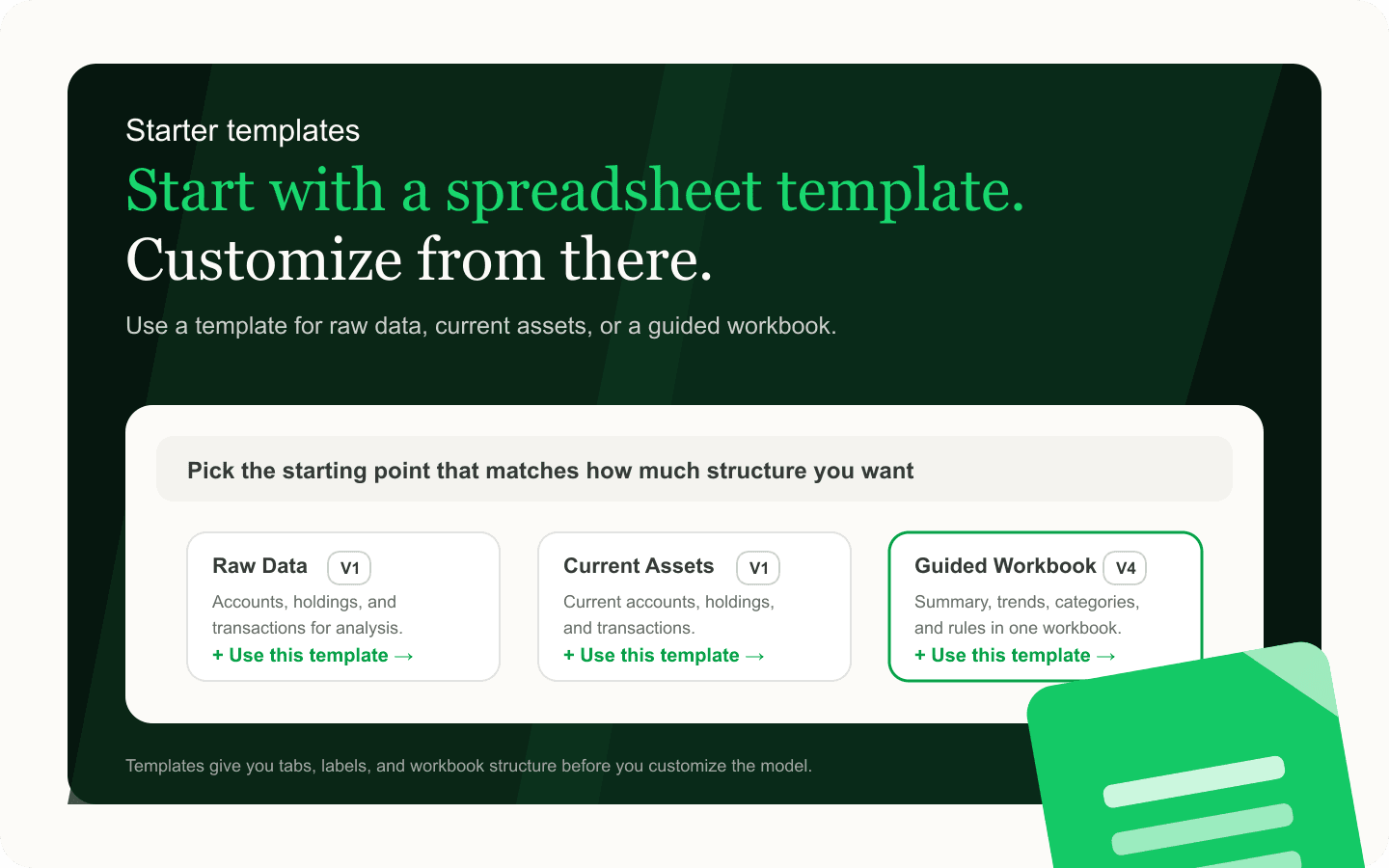
That does not mean Tablewealth should own the whole system. Your spreadsheet can still decide how to group accounts, which manual assets to include, what valuation method to use, and which views matter. The spreadsheet is yours. Tablewealth just provides the data connection.
If you want your own spreadsheet connected to live account data, sign up for Tablewealth and start with either a synced workbook or a ready-made template.
- Use Tablewealth for connected account balances and holdings.
- Use manual rows for assets and debts that do not have a reliable live source.
- Use spreadsheet formulas for your own categories, assumptions, and summary views.
- Use monthly snapshots to preserve history even as live data changes.
When the spreadsheet is not enough
A spreadsheet is often the best starting point because it is fast, flexible, and inspectable down to the formula.
But a custom web app that you build might be better if you want a polished, web-based dashboard with permissioned access, a client-facing view, or a workflow that multiple people can use without touching formulas.
Tablewealth makes that easy too. Follow the steps in the app to start building your own app with AI. The same principle still applies: keep the financial data layer separate from the app interface. A spreadsheet, dashboard, or custom app can all read from the same source of truth.
When you are ready to move beyond a spreadsheet, create a Tablewealth account and use the app builder to generate a custom interface on top of the same connected data.
The interface can change without rebuilding the account connections underneath it.
A practical first version
There are two good ways to get to a first version.
- Build your own: start with a blank workbook, list every account, asset, and liability, then create separate tabs for live data, manual assets, categories, summaries, snapshots, and assumptions. Then sign up for Tablewealth to sync your bank and brokerage data to it securely.
- Use a free Tablewealth template: choose from templates like a raw expense tracker, a net worth tracker, or a comprehensive spreadsheet, then connect the accounts that should update automatically and customize the tabs, formulas, and categories around your own model.
If you want the faster path, sign up for Tablewealth and grab a free spreadsheet template from inside the app after connecting your accounts.
Related calculators
Net Worth Benchmark by Age
Compare mean and median net worth by age and view an age-based net worth distribution benchmark.
Retirement Calculator
Estimate retirement readiness from your portfolio balance, contributions, spending, Social Security, healthcare, taxes, and return assumptions.
Investment Fee Drag Calculator
Estimate how expense ratios and advisory fees compound into long-term investment costs over time.