Live Google and Excel data sync
Keep accounts, holdings, transactions, templates, and latest values current in the workbook you already use.
Tablewealth vs Monarch
Monarch is a strong budgeting app. Tablewealth is for people who want more flexibility: a native app when you want one, and custom finance apps when the standard view is not enough.
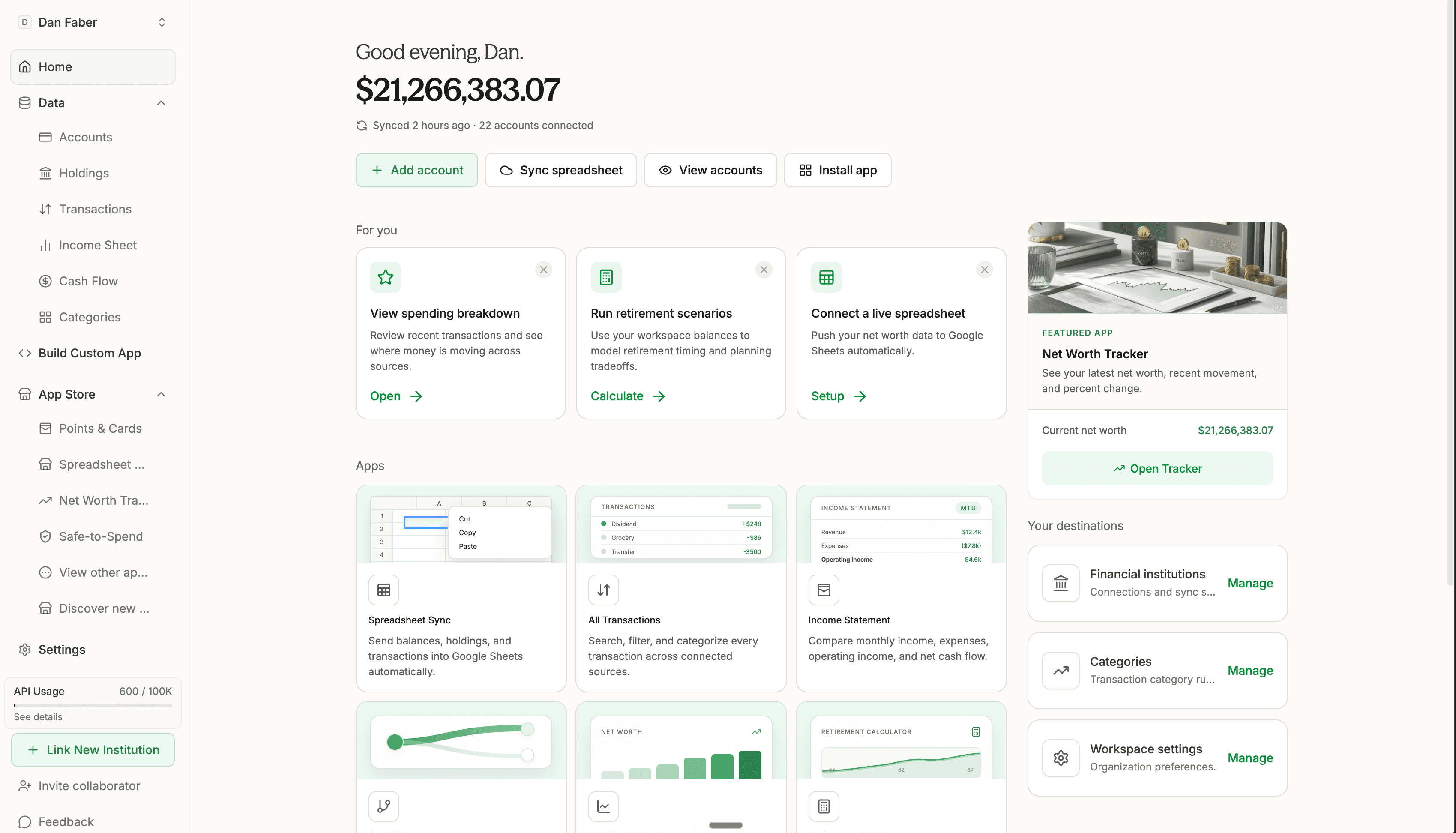
Keep accounts, holdings, transactions, templates, and latest values current in the workbook you already use.
Use connected financial data as the foundation for private dashboards, reports, reviews, and focused apps.
Track brokerage holdings, manual assets, real estate, and AngelList portfolio exports in one workspace.
Use the native app, install focused tools, sync a spreadsheet, or build your own finance app.
Detailed comparison
| Decision point |  Tablewealth Tablewealth | |
|---|---|---|
| Core product | A financial operating system: use the native app, install apps, sync spreadsheets, or build your own tools on live data. | A polished personal finance app centered on budgeting, goals, transactions, reports, and shared household tracking. |
| Best for | People who want more flexibility than a fixed app: deeper customization, live spreadsheets, custom apps, and complex assets. | People who want one strong consumer app for household budgeting, goals, reporting, and day-to-day money tracking. |
| Price | $12/month. | $15/month. |
| Trial | 14-day free trial. Most customers can finish setup in a day and still have 13 days to evaluate the app. | 7-day free trial. |
| Live Google/Excel data sync | Live Google Sheets and Excel sync for accounts, holdings, transactions, templates, and latest values. | Not supported. |
| Spreadsheet templates | Templates for net worth, budgeting, household planning, and live transaction exports. | Not included. |
| Build your own app with AI | Use MCP and agent workflows to build finance apps without rebuilding bank and brokerage connections. | Offers one app, with no ability to build your own app on top of your financial data. |
| Brokerage holdings | Read live investment holdings and cash-equivalent positions through the dashboard, spreadsheet sync, and API. | Supports investment visibility, but is primarily framed as a consumer personal finance app. |
| Private market investments | Built to ingest AngelList portfolio exports alongside connected accounts, holdings, and manual assets. | Manual tracking for private investments. |
| Developer API | Read-only API for organization metadata, accounts, transactions, holdings, API key discovery, and account-scoped access. | Not the primary product surface. |
| Setup help | Real-time account syncing, about 15 minutes for core setup, and specialist help for custom categories and rules with a 2-hour response target. | Self-serve setup for a guided consumer finance app and budgeting workflow. |
| Choose it when | You want more flexibility, whether that is in the native app, an app you build, or a live-synced spreadsheet. | You want one strong app for household budgeting, goals, reports, and planning. |
Reviewed June 27, 2026. Competitor pricing and product packaging can change; verify current details before buying.
Try Tablewealth
Connect accounts once, then use Tablewealth as your dashboard, live spreadsheet source, app store, API, or AI-ready financial data layer.
Why people switch
You already trust your own workbook. Tablewealth keeps it fed with live financial data instead of asking you to rebuild CSV exports.
Brokerage holdings, cash-equivalent positions, private assets, and account-level context belong beside spending and cash flow.
Use the API, MCP, and agent app builder to create the exact financial app you need without wiring every bank connection yourself.
Home base
Start from connected accounts, then decide what belongs on top: dashboards, apps, spreadsheets, reports, rules, and custom workflows. Tablewealth is not trying to make every user fit the same view.
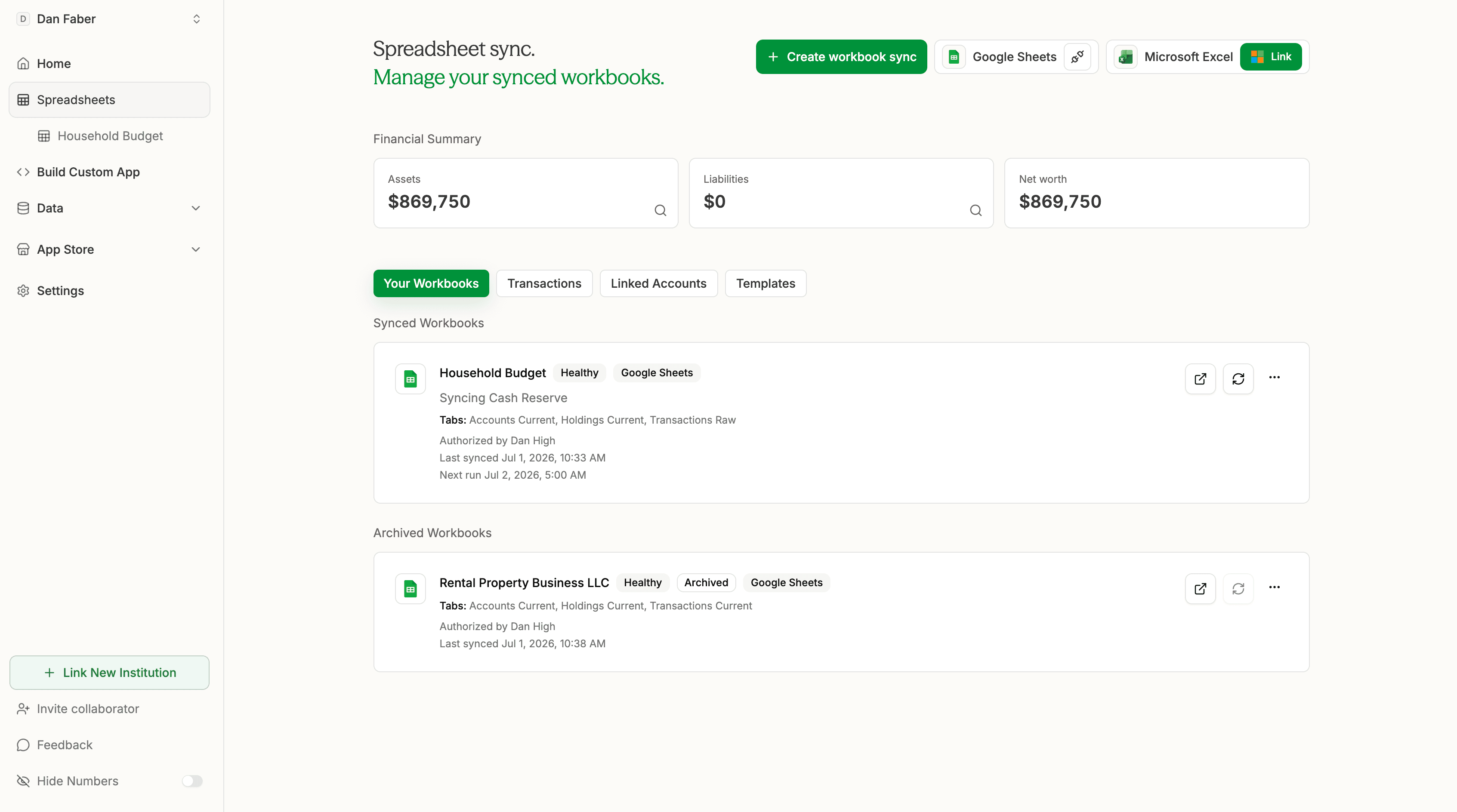
Spreadsheet sync
Connect Google Sheets or Excel, choose a workbook template, and keep accounts, holdings, and transactions synced without rebuilding exports by hand.
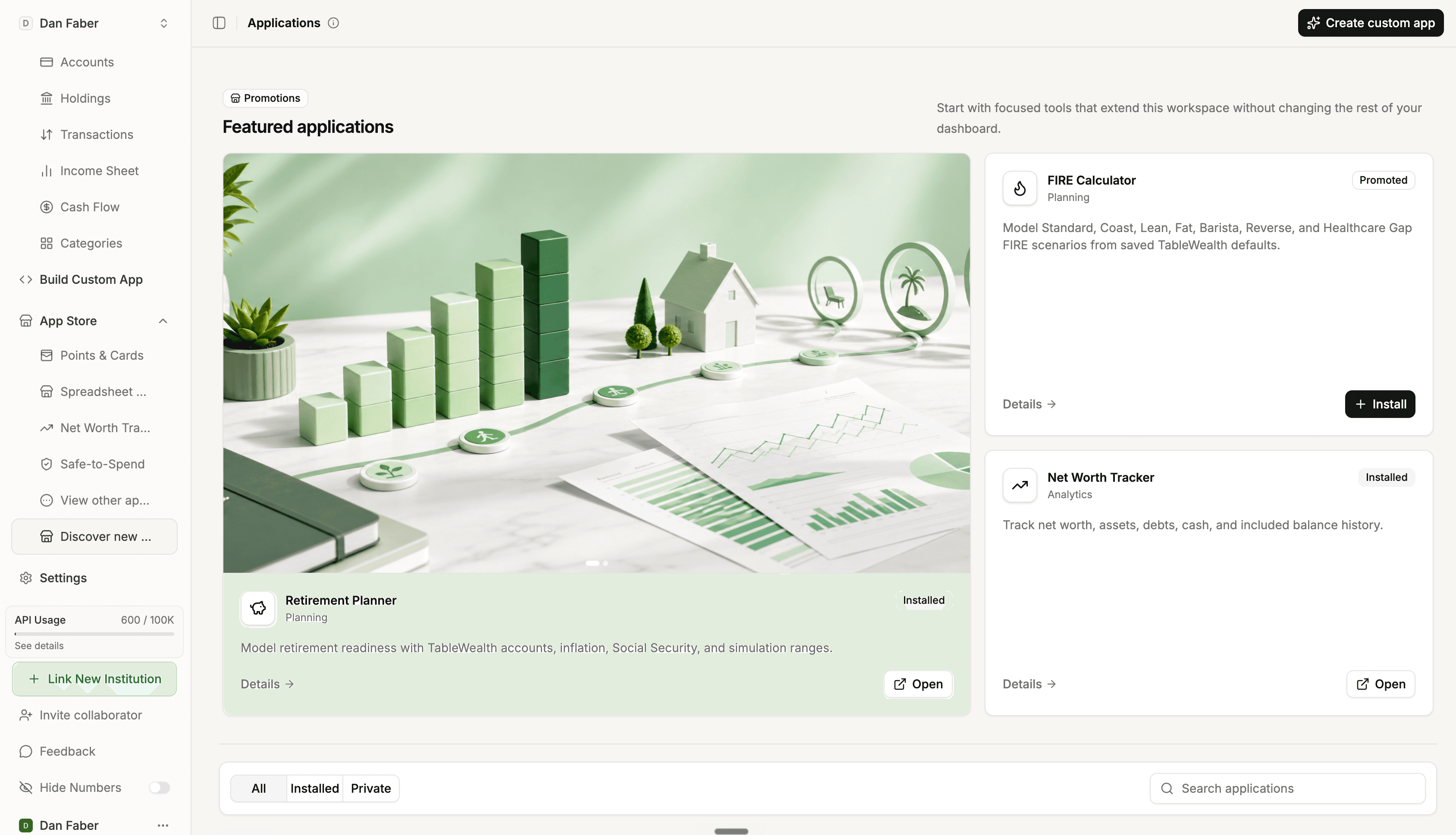
App layer
Install apps for planning, net worth, cash flow, and analysis. Build private apps when the exact tool you need does not exist yet.
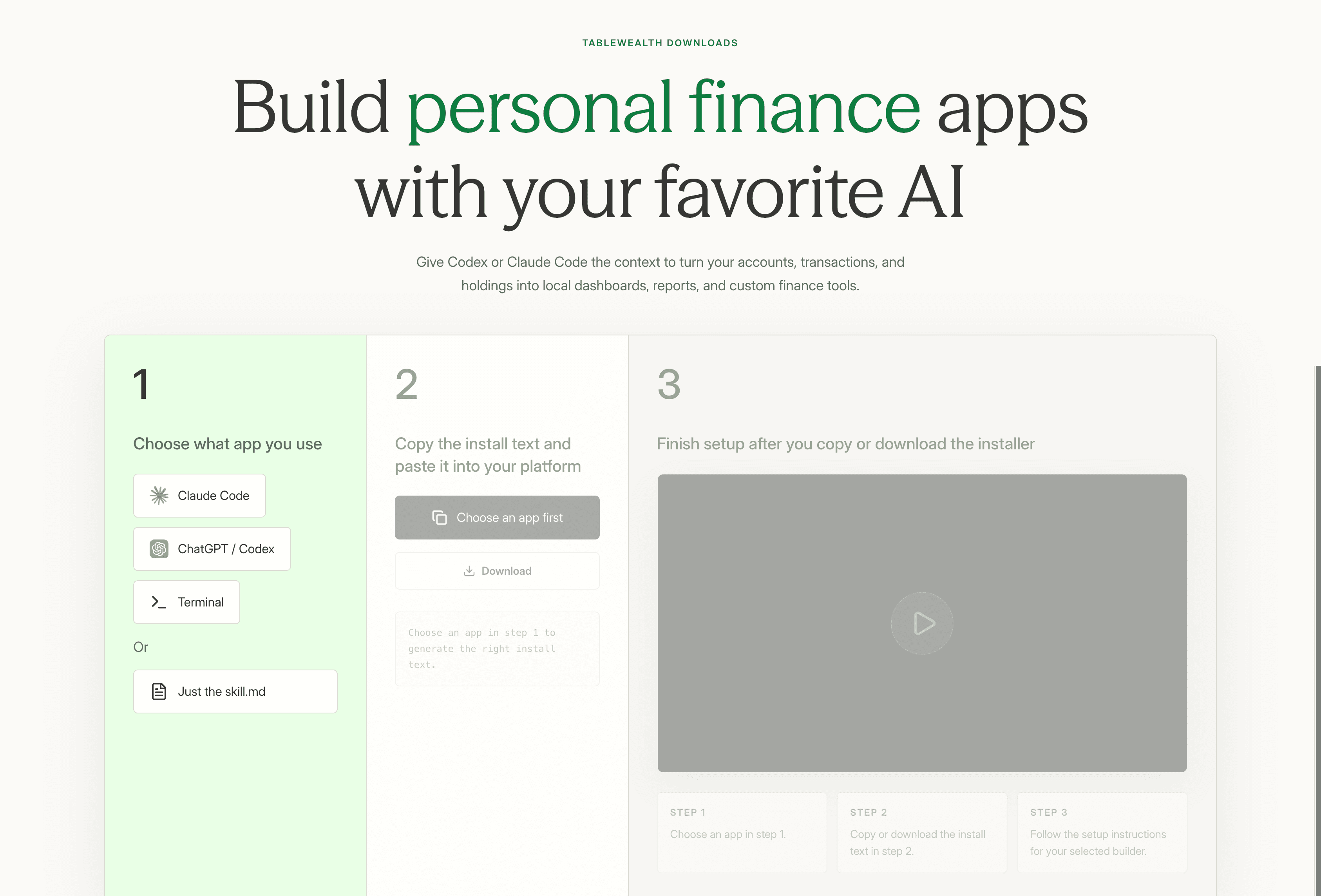
AI setup
Tablewealth gives your AI builder the setup path: choose Codex, Claude Code, Terminal, or the raw skill, then copy the install prompt or download the plugin. The point is simple: your AI can build finance apps without you rebuilding account, holdings, and transaction plumbing.
Agent builder
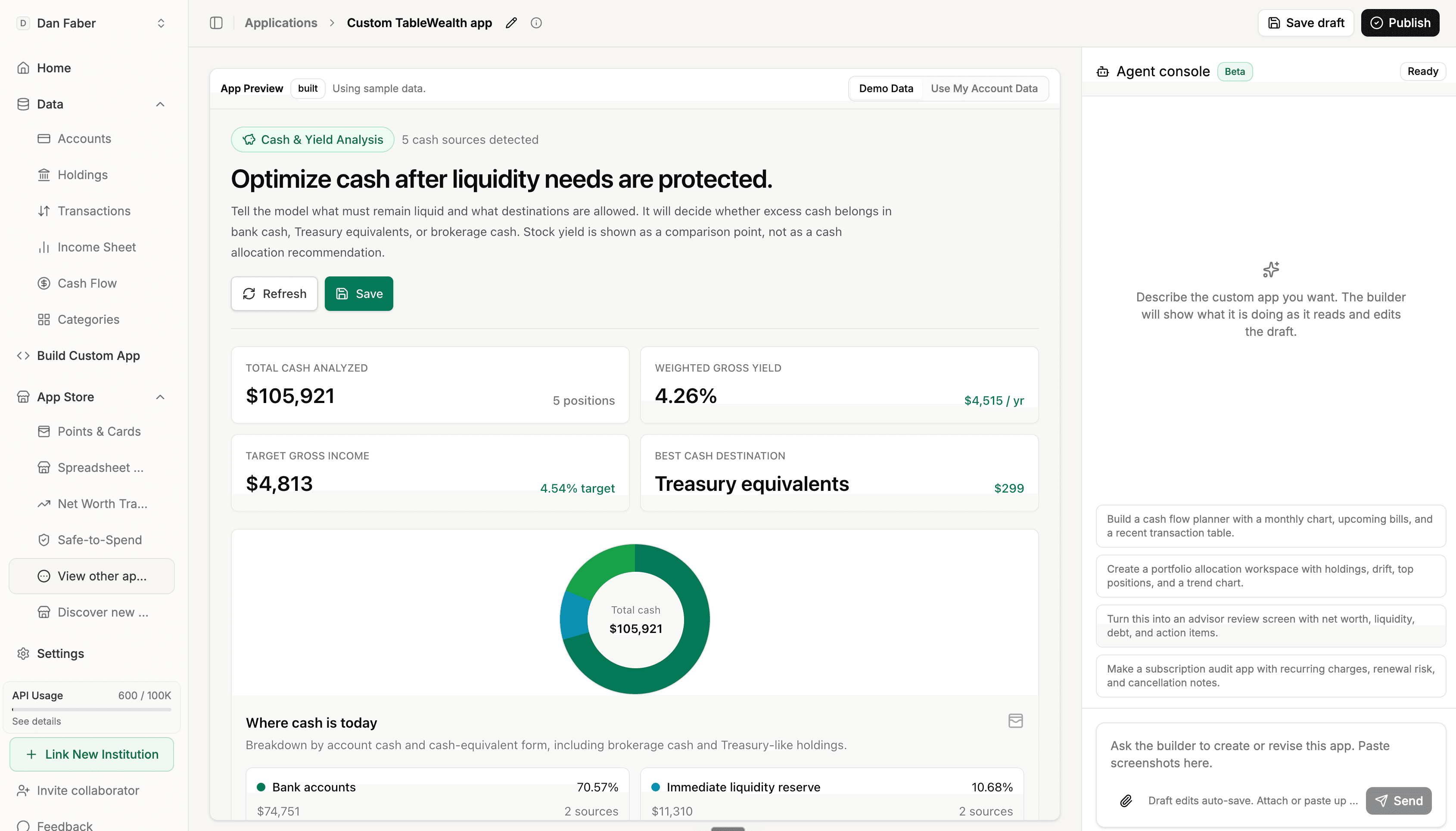
Use agent-assisted app building on top of live Tablewealth data. Ask for a cash analysis screen, portfolio workspace, advisor review, or subscription audit without starting from raw bank connectors.
Switch from Monarch
Connect accounts, turn on sync, and start with one focused workflow. Use the 14-day trial to test the dashboard, spreadsheet sync, app store, and custom app builder before committing.
Link bank, credit, loan, and brokerage accounts. Core setup should take about 15 minutes for most users.
Account syncing is real-time, and workbook sync keeps selected spreadsheet data up to date.
Use the dashboard, install an app, sync a workbook, or start a custom app from a focused template.
If you want help with custom categories, rules, or onboarding, support specialists can help with a 2-hour response target.
Value
TablewealthSources
Product information reviewed on June 27, 2026.
Monarch is a trademark of Monarch Money, Inc. This comparison is based on publicly available information and Tablewealth product capabilities as of June 27, 2026. Tablewealth is not affiliated with, sponsored by, or endorsed by Monarch Money, Inc.
FAQ
Choose Tablewealth when you want more flexibility than a fixed budgeting app: live spreadsheets, custom finance apps, brokerage holdings, private assets, API access, or AI-built workflows on top of connected accounts.
Monarch is a strong choice if the main job is household budgeting, goals, reports, and shared planning in one polished consumer app. Tablewealth is for people who want the financial system around that data, not only the app view.
No. Monarch can help replace a basic tracking spreadsheet, but live Google Sheets and Excel sync is not the product surface. Tablewealth syncs accounts, holdings, transactions, templates, and latest values into Google Sheets or Excel.
Yes, but the more interesting answer is that Tablewealth lets you build your own Mint. You can use the native app, install focused apps, sync a live spreadsheet, or build private dashboards and workflows on top of your financial data.
Yes. Tablewealth is built to ingest AngelList portfolio exports alongside connected accounts, brokerage holdings, manual assets, and real estate, so private investments can live in the same workspace.
Most users can connect accounts and start syncing in about 15 minutes. The trial is 14 days, and support specialists can help with categories, rules, or custom workspace setup with a 2-hour response target.