Spreadsheets are a feature, not a workaround
A spreadsheet can be the best surface for planning, modeling, sharing, and reviewing financial history.
Solution
Tablewealth syncs your accounts, holdings, and transactions into Google Sheets or Excel, so your personal finance workbook stays up to date on its own. Keep your own formulas, templates, and planning tabs—Tablewealth just keeps the numbers current.
Built for Spreadsheet-first users who want Google Sheets or Excel to remain the planning surface while Tablewealth maintains the underlying financial data.
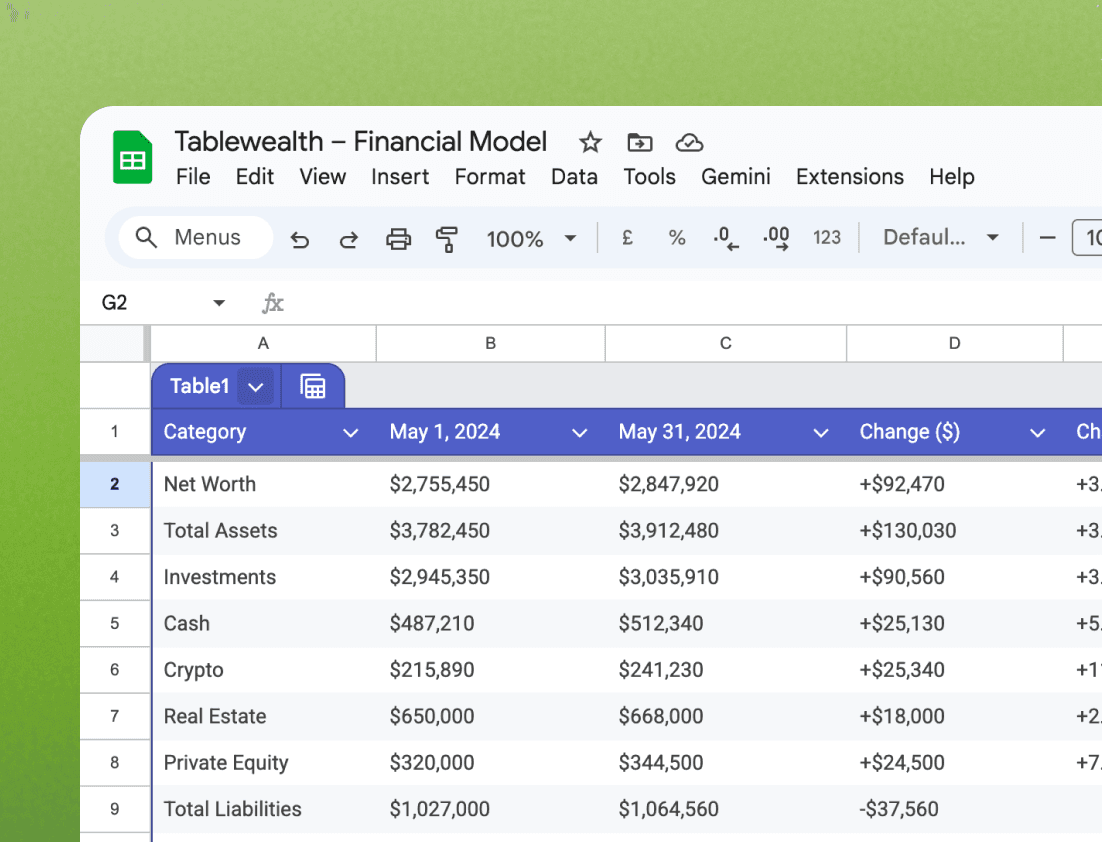
A spreadsheet can be the best surface for planning, modeling, sharing, and reviewing financial history.
The app manages canonical records, while the workbook can present those records in a format that matches your household or advisor workflow.
Spreadsheets can be a useful boundary for AI review when you want summaries, dashboards, or explanations without exposing every raw row.
Feature details
Tablewealth gives spreadsheet-first users the same kind of practical feature depth they expect from a dedicated money workbook, while keeping the data available for apps, calculators, APIs, and AI workflows.
Spreadsheet providers
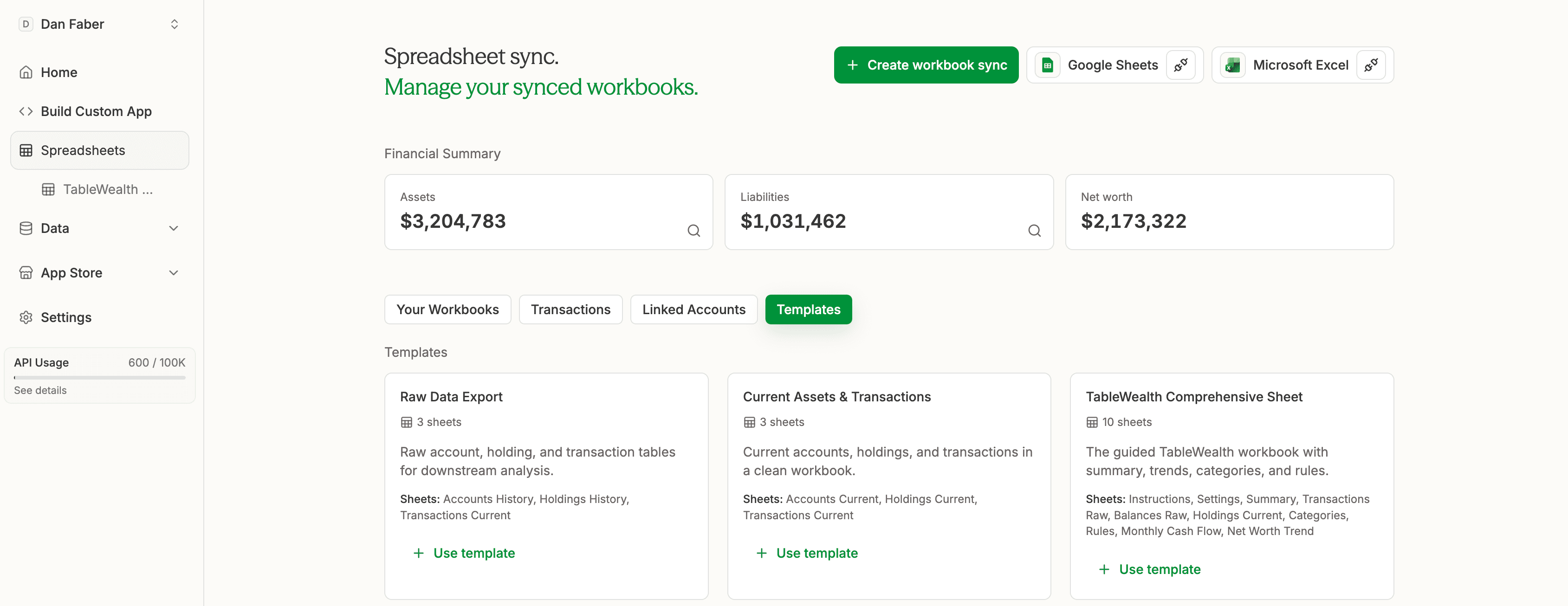
Tablewealth starts by connecting the spreadsheet destination itself. Pick Google Sheets or Microsoft Excel, authorize the provider, and create the workbook where your balances, holdings, transactions, templates, and planning tabs will live.
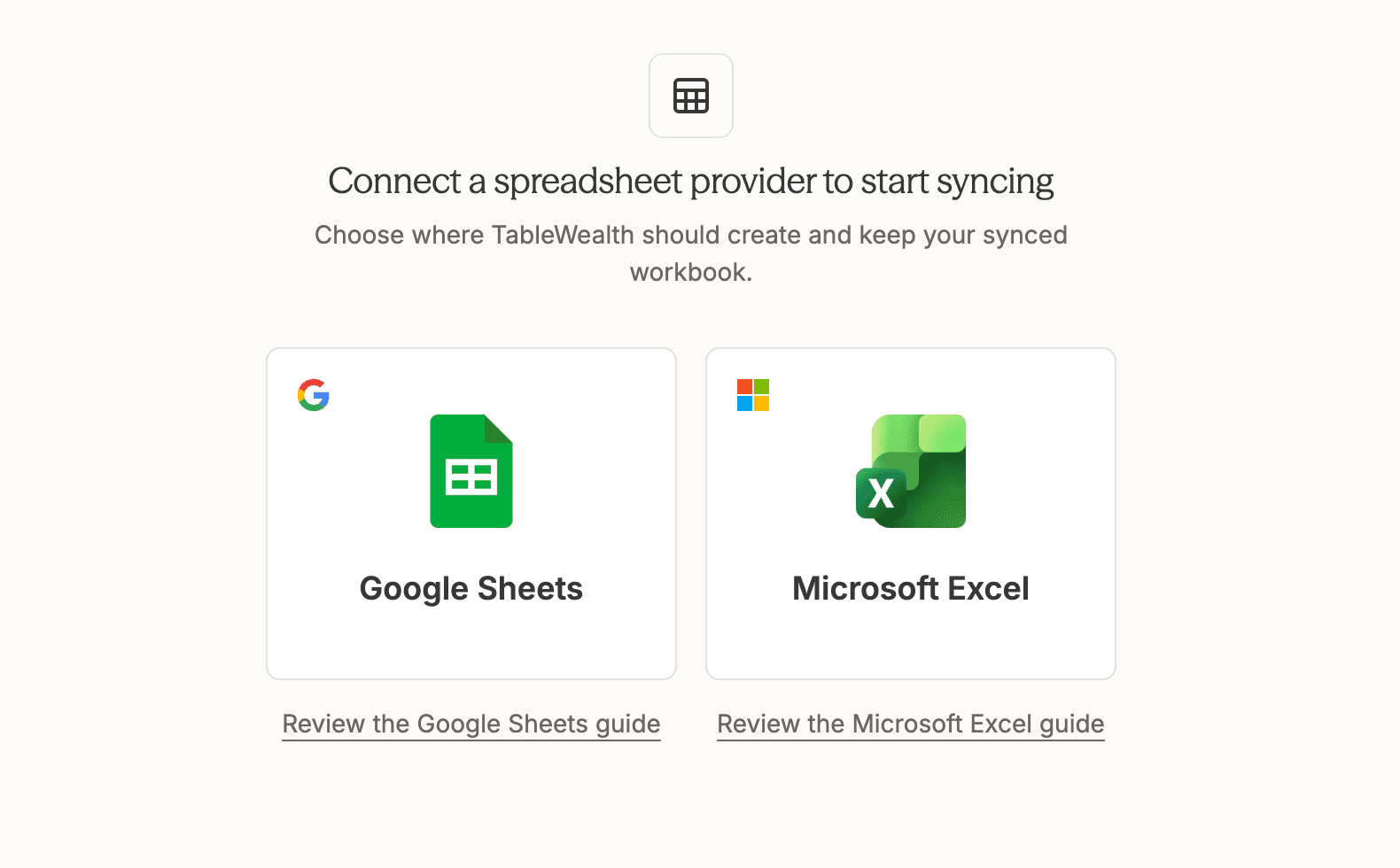
“Choose the spreadsheet provider. Tablewealth handles the account data underneath it.”
Multiple workbooks
Spreadsheet work rarely stays in one file. You may want a clean household workbook, a raw data export, a property-specific model, and a workbook you share with an advisor. Tablewealth lets each workbook have its own purpose while pulling from the same trusted financial workspace.
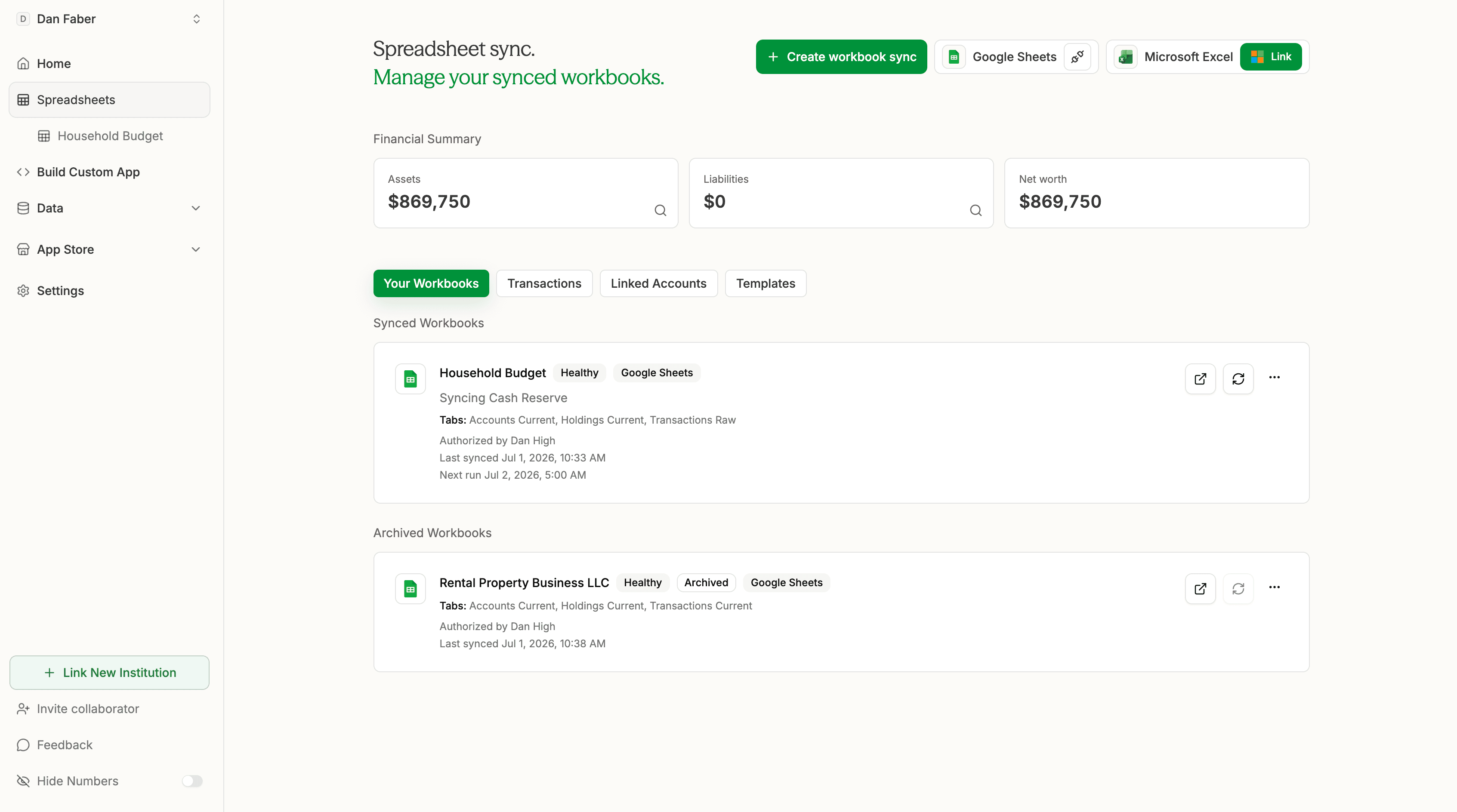
“One financial workspace can power multiple spreadsheet workflows.”
Transactions, scope, and rules
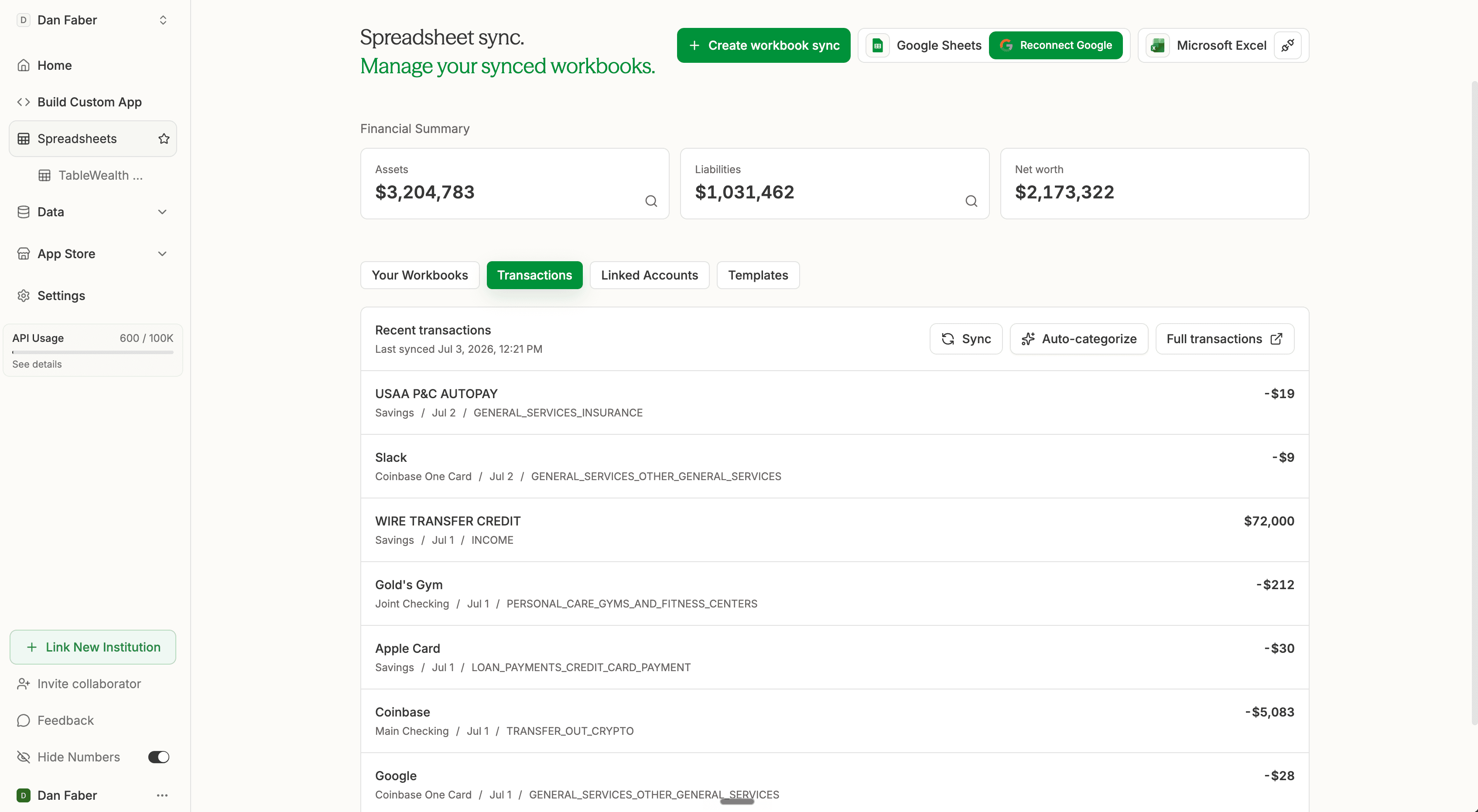
The app gives you a control plane before data reaches the spreadsheet. Clean up transactions, choose account scope, run categorization, and then push the latest version into the workbook so formulas and reports are based on intentional records instead of raw feed noise.
Workbook templates
Templates give you a useful starting shape instead of a blank file. Start with raw tables when you already have a model, a compact current-state workbook when you want clean operating tabs, or the comprehensive workbook when you want Tablewealth to lay out the full planning system.
Weekly email review
Spreadsheet users still need a simple rhythm. Tablewealth can send a weekly review email with the changes that matter, so you know when to open the workbook, investigate a category, or update a plan.
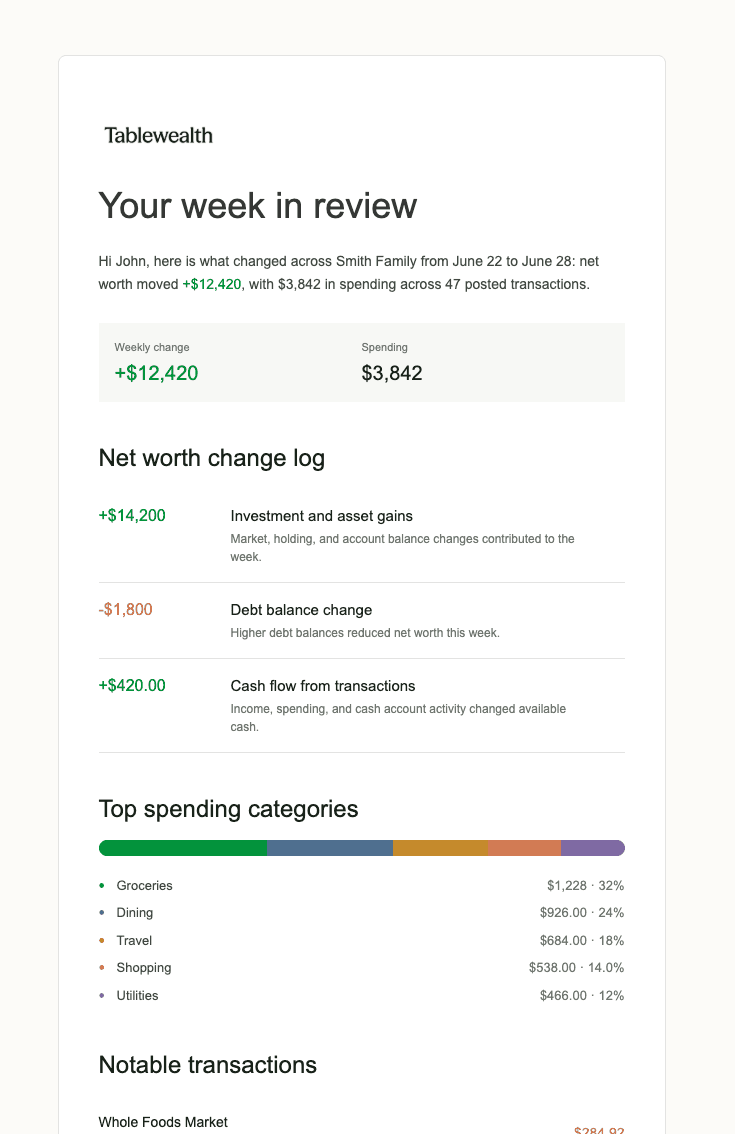
“The email gives you the headline. The spreadsheet gives you the detail.”
Beyond one workbook
Spreadsheet sync is not a dead end. The same records can power net worth tracking, retirement planning, investment review, cash-flow summaries, app-store tools, and custom finance apps when your question outgrows a single tab.
Use the native app, spreadsheets, public calculators, installed apps, APIs, and MCP from the same workspace.
Build custom dashboards or AI-assisted tools without re-exporting every account.
Keep ownership and review close to the household or advisor workflow that needs the data.
How it works
Use an existing model, a Tablewealth template, a raw export, or a custom workbook structure.
Choose accounts, holdings, transactions, latest values, templates, tab names, and sync behavior.
Let Tablewealth maintain source data while your spreadsheet handles categories, rules, charts, planning logic, and custom reporting.
What you can do
Use spreadsheet categories, rules, and formulas while Tablewealth keeps account and transaction data current.
Track assets, debts, holdings, and manual values in a custom workbook that matches your planning style.
Prepare reports with enough context for another person to understand source dates, categories, account scopes, and assumptions.
Try Tablewealth
Connect your accounts once, then use the same financial workspace in the native app, live spreadsheets, installed apps, APIs, or AI-assisted tools.
Related workflows
FAQ
Yes. Tablewealth is designed to support spreadsheet workflows rather than replace them. You can sync data into Google Sheets or Excel and keep custom formulas and tabs.
Templates can include current assets and transactions, raw data exports, comprehensive sheets, net worth trends, monthly cash flow, categories, rules, and settings depending on the workspace.
Google Sheets and Microsoft 365 syncs do not count against API usage. Local Excel sync is handled differently and may count against API usage when enabled.