Know what is driving the retirement date
See how savings, spending, Social Security, taxes, healthcare, debts, and investment assumptions affect the answer instead of trusting one opaque score.
Solution
Use Tablewealth Plan to build a living retirement plan with real balances, holdings, spending assumptions, retirement timing, scenarios, and projections.
Built for People who want retirement planning software that moves beyond one-time calculators into connected balances, assumptions, scenarios, and ongoing plan reviews.
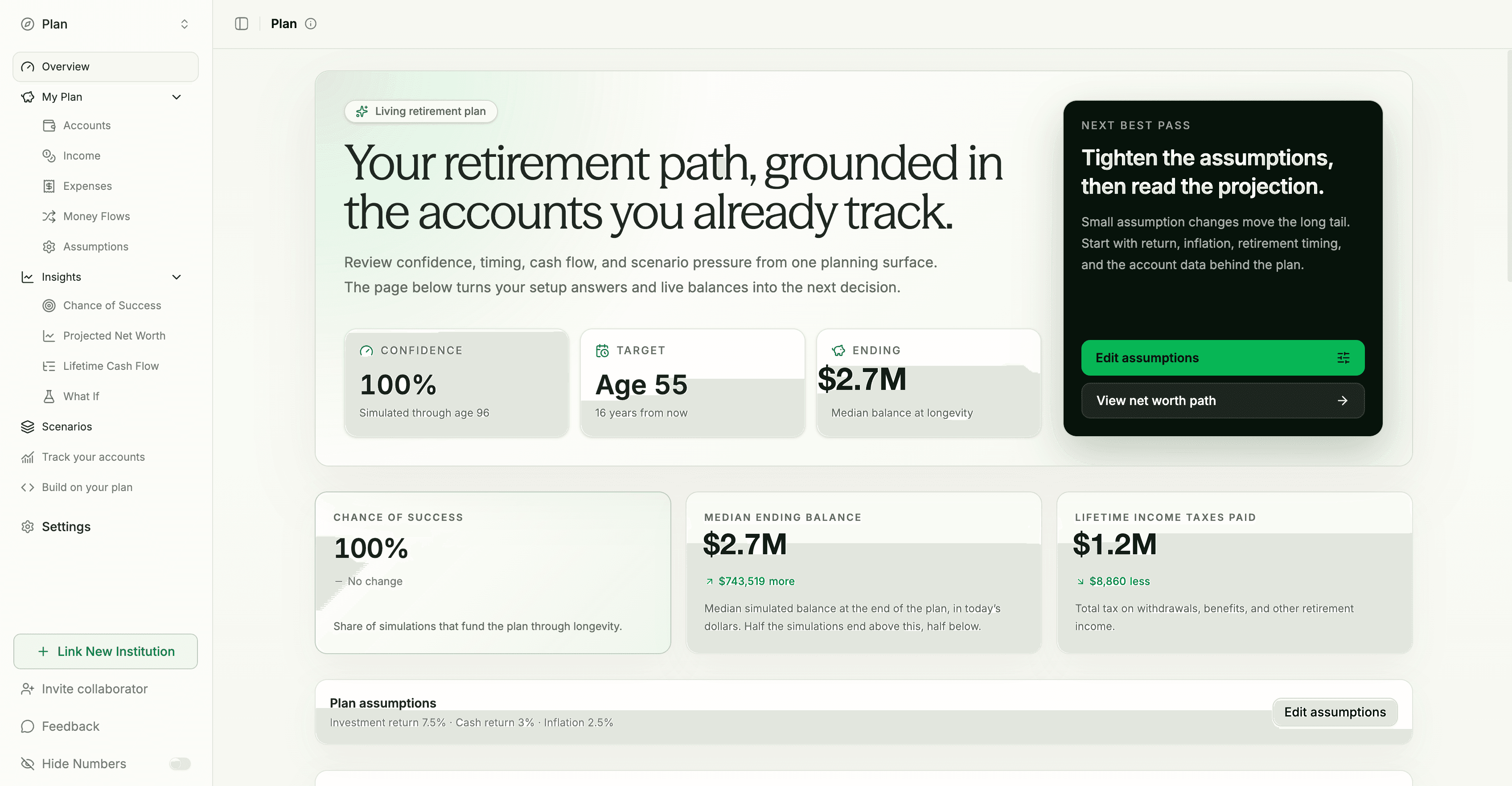
See how savings, spending, Social Security, taxes, healthcare, debts, and investment assumptions affect the answer instead of trusting one opaque score.
Use connected or manual accounts as the starting point, then keep household assumptions separate so the projection can update without rebuilding the plan.
Run temporary scenarios for retirement age, longevity, spending stages, returns, debt, and spreadsheets before committing changes to the saved plan.
Planning inputs
A useful retirement answer depends on the full household picture. Tablewealth looks at timing, income, spending, taxes, healthcare, debts, assets, and goals so the plan can show what actually changes the outcome.
Current age, retirement age, longevity, and milestones
Work, Social Security, pensions, rentals, and cash flow
Balances, contributions, returns, inflation, and volatility
Pre-tax savings, withdrawal drag, RMDs, and tax rates
Pre-Medicare costs, Medicare premiums, and care needs
Mortgages, student loans, credit cards, and payoff timing
Home equity, rentals, future purchases, and downsizing
One-time expenses, family support, travel, and priorities
Annual budget, recurring expenses, and lifestyle changes
Spouse assumptions, survivor needs, and shared planning
Taxable, Roth, pre-tax, cash, and withdrawal assumptions
Work longer, save more, spend less, or change the model
How it works
Start free, create your account, and go directly into the retirement planning onboarding flow.
Bring in balances, holdings, manual assets, liabilities, and savings accounts that affect retirement readiness.
Model retirement timing, spending, income, expenses, net worth, and what-if scenarios from the same planning surface.
What you can do
See whether your savings, expected income, spending, healthcare costs, taxes, and returns support the age you have in mind.
Track accounts, holdings, debts, cash flow, home equity, private assets, and assumptions in the same workspace as your net worth.
Sync data to a spreadsheet or build a private planning app when you want to model Roth conversions, drawdown choices, downsizing, or a major spending shift.
Try Tablewealth
Connect accounts once, then use the same financial workspace for planning apps, net worth, investment review, live spreadsheets, APIs, and AI-assisted tools.
FAQ
No. The public calculator is a fast starting point, but the Plan app is a workspace for a household plan. It keeps your assumptions, reads balances from connected or manual accounts, projects the plan again as data changes, and shows readiness, cash flow, taxes, debt, and net worth over time.
Account balances, liabilities, manual accounts, and net worth context can feed the projection without being copied into a stale plan record. Tablewealth stores your intent separately: retirement age, spending, income, account tax treatment, return assumptions, debt terms, healthcare, home, spouse, and scenario inputs.
Yes. The Plan app includes temporary comparisons for changes like retiring earlier, living longer, using staged retirement spending, changing investment returns, or adding a loan. The comparison shows the effect on success probability, depletion age, taxes, debt, and projected net worth before you decide whether to save anything.
Plan accounts can be classified as cash, taxable, HSA, Roth, traditional retirement, or other. The projection can model Social Security, pensions, other income, federal and state income tax, required minimum distributions, and different withdrawal strategies such as taxable-first, tax-deferred-first, or Roth-first.
Yes. Debts can carry balances, rates, payments, payoff timing, and mortgage treatment. Home assumptions include value, appreciation, and mortgage details. Healthcare is modeled separately from ordinary spending because pre-Medicare costs, Medicare costs, and healthcare inflation behave differently from the rest of the budget.
Yes. A plan can include spouse age, retirement age, longevity, Social Security, and contributions. It can also include work income, pensions, rental income, other retirement income, windfalls, one-time expenses, and recurring expenses that start or stop at different ages.
Yes. Tablewealth can sync financial data into Google Sheets or Microsoft Excel, so you can maintain a custom retirement workbook while using the app as the organized data layer for accounts, balances, transactions, and planning assumptions.